
PICR
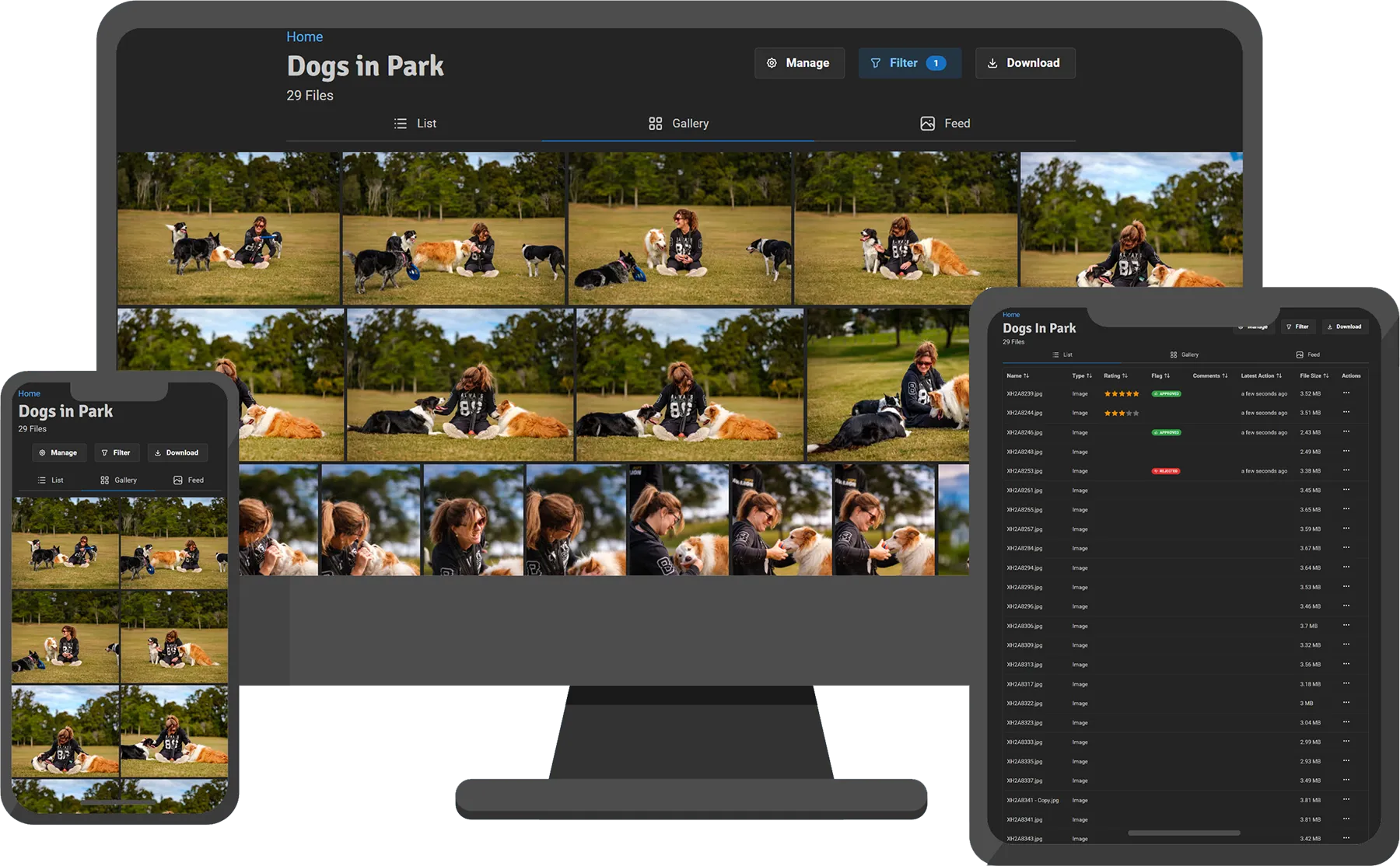
PICR turns folders on your server or NAS into branded photo and video galleries. Your originals stay in your own storage; PICR indexes them, creates previews, and gives each client a purpose-built gallery instead of a generic shared drive.
Start here
Section titled “Start here”Install PICRDeploy PICR with Docker Compose and prepare its storage.
Create your first galleryPublish a media folder, apply branding, and test a recipient link.
Share and proofCreate scoped recipient links with delivery and review controls.
Get link-open notificationsKnow when a recipient opens, downloads, or reviews a gallery.
A typical PICR workflow
Section titled “A typical PICR workflow”- Export a shoot into a folder inside your mounted media library.
- Let PICR detect it, or scan the folder manually.
- Add a client-facing title, branding, and a gallery image.
- Create a public link for that recipient.
- Receive a notification when the link is opened.
- Collect comments, ratings, or approvals, then deliver the finished files.
Because the media library remains an ordinary filesystem, you can keep using Lightroom, a NAS share, synchronisation software, or your existing archive process alongside PICR.
What PICR provides
Section titled “What PICR provides”- Responsive photo and video galleries with list, gallery, and feed layouts
- Named branding presets with gallery-specific colours, typography, logos, and layout choices
- Separate recipient links with optional passcodes, expiry dates, proofing controls, and review permissions
- Link-open, download, comment, rating, and flag activity
- Push notifications through the PICR mobile app and optional ntfy notifications
- Comments, star ratings, approve/reject flags, CSV export, and a Lightroom Classic plugin
- Read-only media access by default, with optional controlled rename and move support
- 🇺🇸 English, 🇫🇷 French, 🇩🇪 German, 🇬🇷 Greek, 🇪🇸 Spanish, and 🇺🇦 Ukrainian web interfaces
Project links
Section titled “Project links”PICR is source-available under the Business Source License 1.1. Each release converts to GPLv3 after four years; see the repository LICENSE for the legal terms.